Business Management Dashboard

Business dashboard

Give owners and staff a shared view of the work that runs through your system.

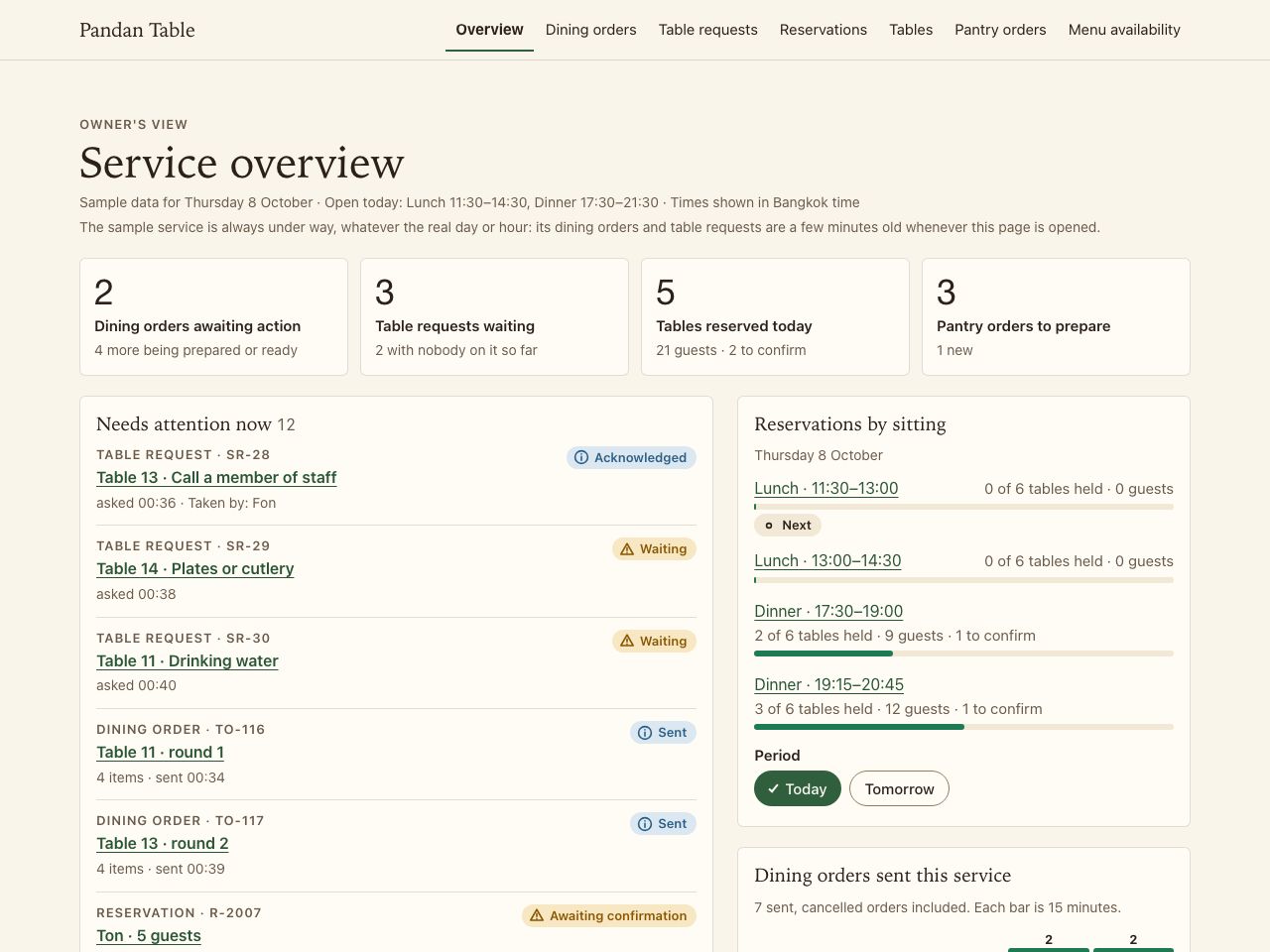
Fictional examplePandan Table · Restaurant operations dashboard

Try Open an order that needs attention, check its options, mark it Preparing and see the guest's tracker move.

Showing an example for Restaurant & café. Change business type

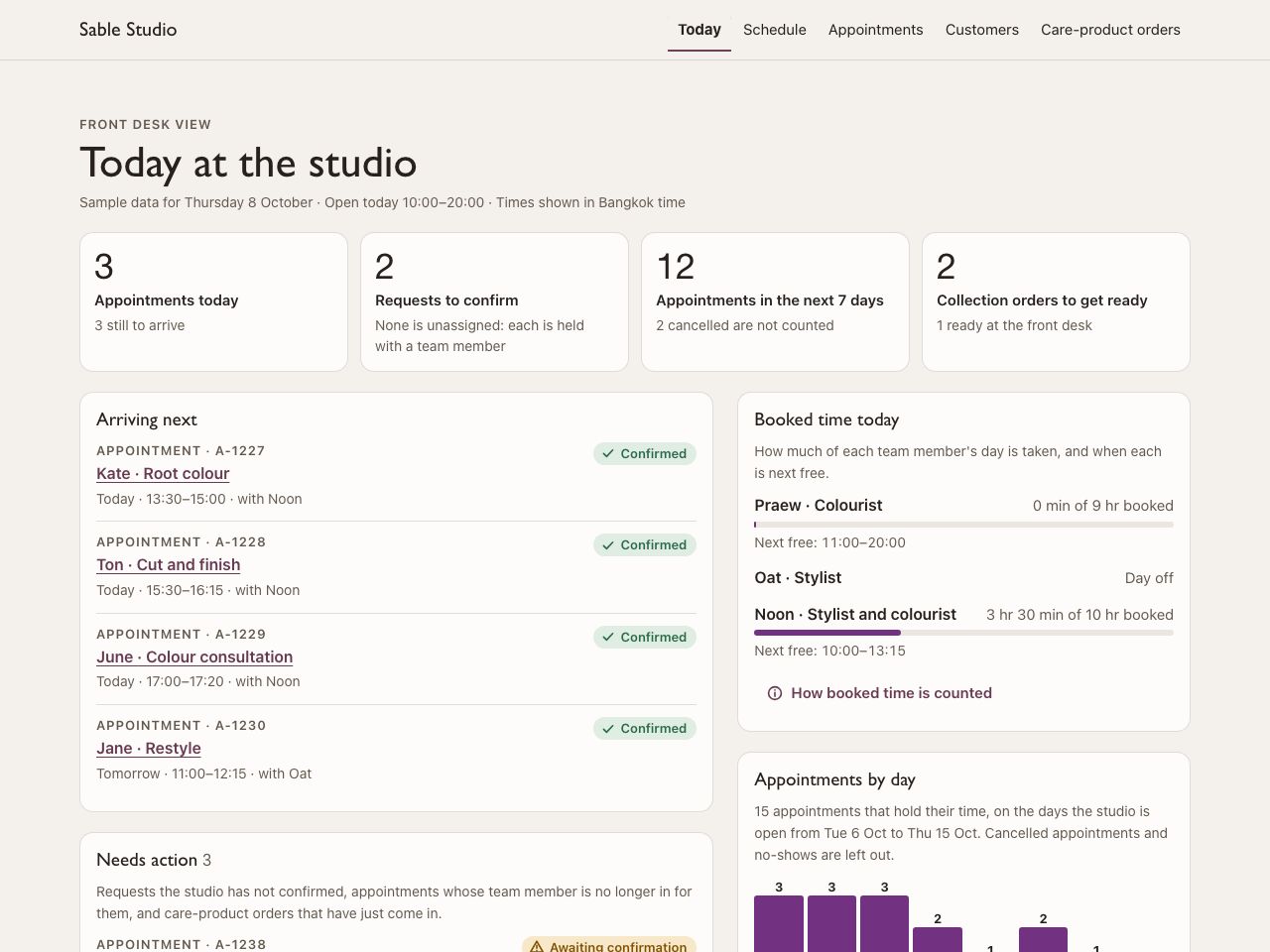
Fictional exampleSable Studio · Salon schedule dashboard

Try Open an appointment and move it to a time and a team member that work.

Showing an example for Appointments. Change business type

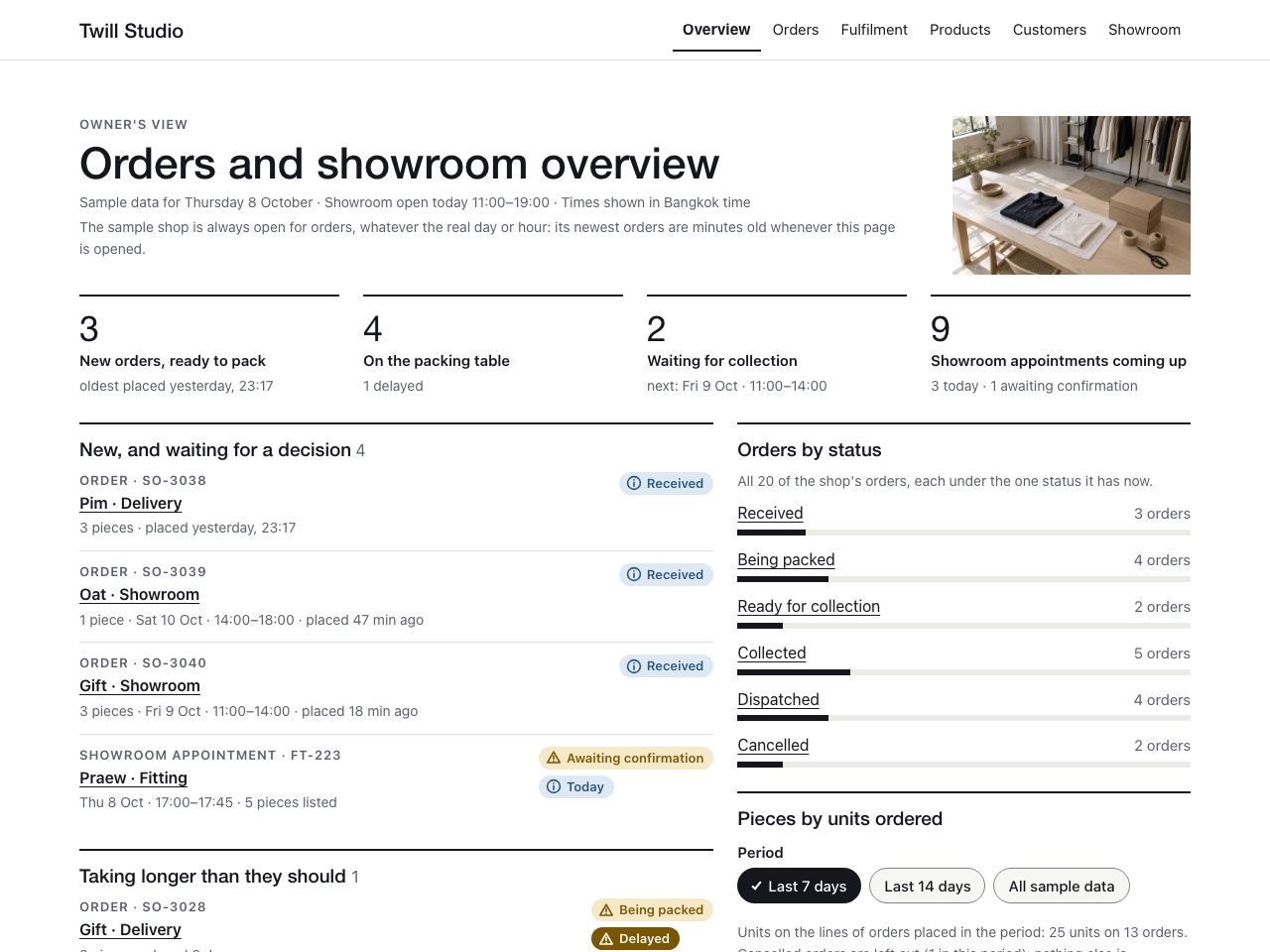
Fictional exampleTwill Studio · Retail orders dashboard

Try Filter to pickup orders, open one, check the size and colour and mark it ready for collection.

Showing an example for Retail brand. Change business type

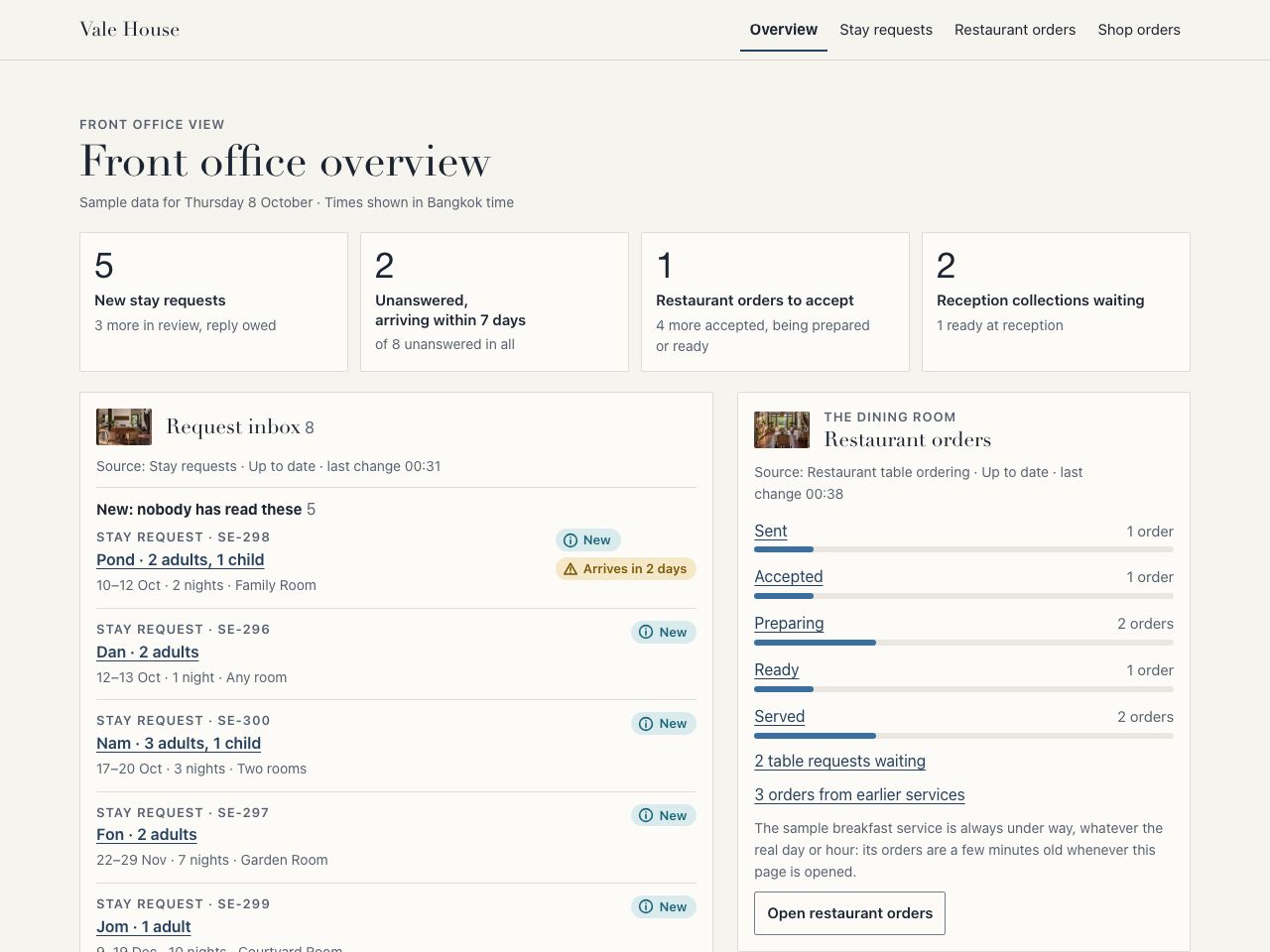
Fictional exampleVale House · Hotel stay requests dashboard

Try Filter new stay requests by arrival date, open one, read the room preference and mark it Reviewed.

Showing an example for Hotel & hospitality. Change business type

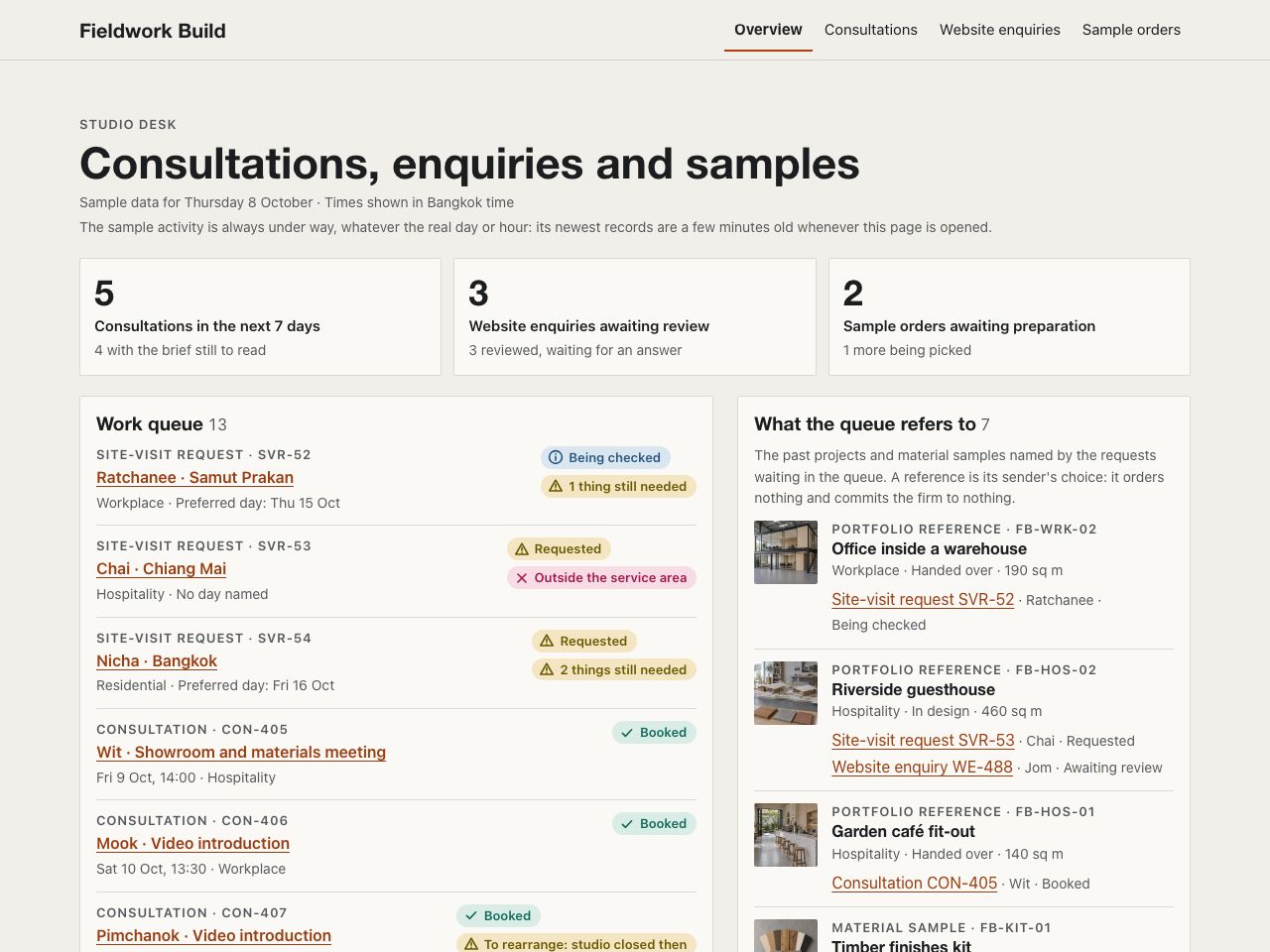
Fictional exampleFieldwork Build · Construction enquiries dashboard

Try Open a consultation, see which project the prospect referred to and update its review status.

Showing an example for Construction & property. Change business type

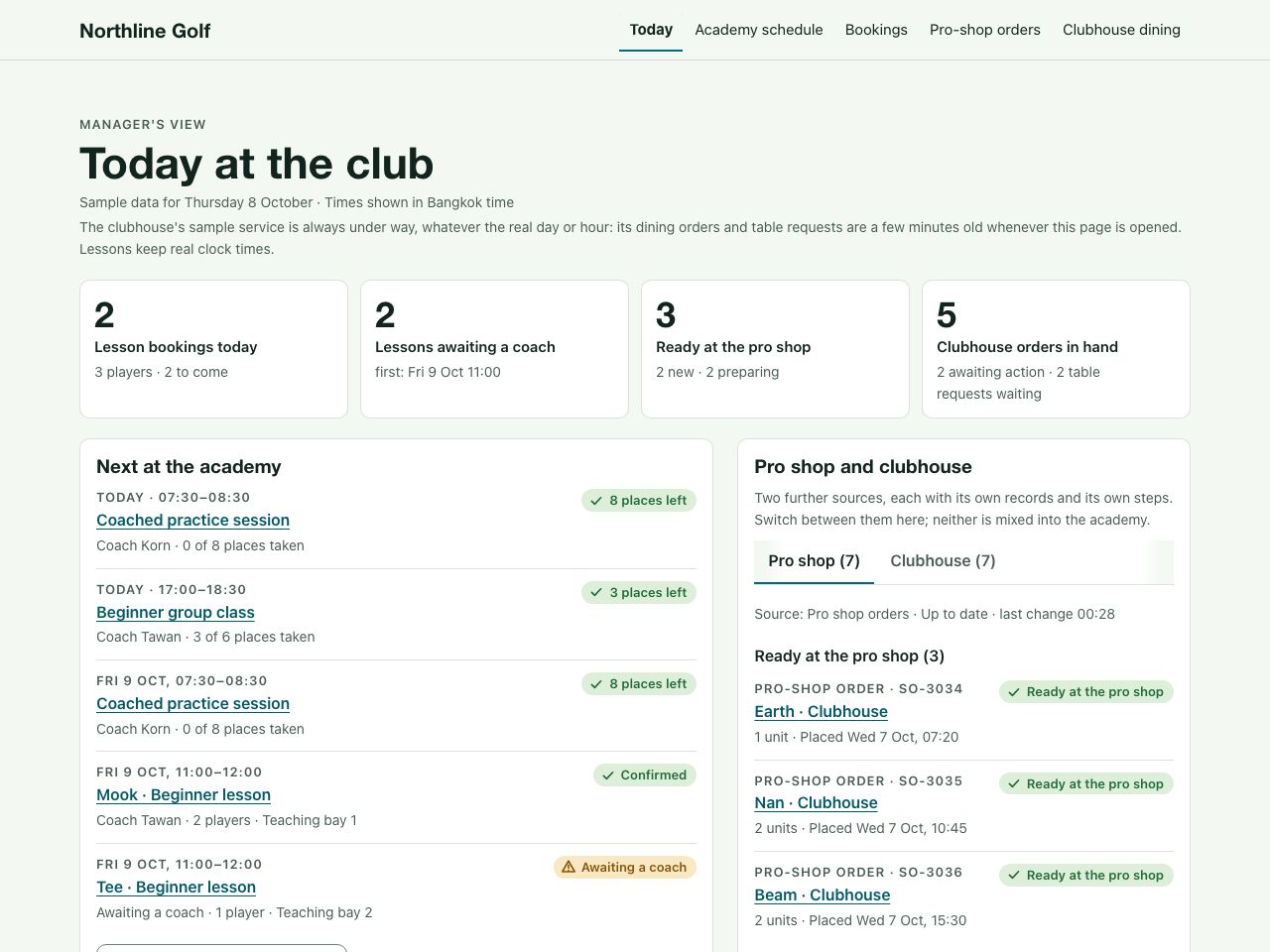
Fictional exampleNorthline Golf · Golf academy dashboard

Try Open a lesson or a group class, check who is taking part, then assign it or move it to a coach who can teach it.

Showing an example for Golf. Change business type

Who it is for
Businesses already running bookings, orders or a store
Main things included
  • One dashboard for owners and staff
  • Overview of revenue, bookings and orders
  • Customers, bookings, orders and products
Everything included
What the owner sees
An overview of revenue, bookings and orders.
What your team gets
Lists of customers, bookings, orders and products, each person by their role.

See this for your business

Choose the kind of business you run. Each example is a fictional business with sample data, and it works: open it and use it as a customer would.

Restaurant & café

Appointments

Retail brand

Hotel & hospitality

Construction & property

Golf

The example runs on sample data. What your own setup includes is agreed in the scope.

See the full scopeCosts and timingAll Business dashboard examples

What is included

  • One dashboard for owners and staff
  • Overview of revenue, bookings and orders
  • Customers, bookings, orders and products
  • Staff and permissions
All 5 included features
  • Payments and analytics

Booking, store and ordering products already include the administration they need. Add the dashboard when you want one consolidated view across them.

What we confirm together

  • Which systems it connects to. What it can show depends on them.
  • Roles, and what each one may see or change
  • The numbers that matter to you
  • Existing data to bring across

Every project is scoped around your business. Tell us what you need and we will prepare a tailored proposal.

Discuss this product

What you pay for and what stays yours

The first conversation is free. It can be online or in person.

Setup

We show you a draft first. If you agree in writing to go ahead, you pay a 50% deposit on the build fee, and the full build starts once it has cleared. When it is finished, you pay the remaining 50%, and the first month of your care plan if you ordered one, before it goes live. Once that has cleared, you have approved the launch and we have the domain and account access we need, it is live within 24 hours, weekends and holidays included.

Ongoing service

Your website is yours to keep. If you end the monthly or annual plan, we hand over its files, content and access so it can stay online on your own hosting. Subscription services, such as booking, the online store, table ordering, the dashboard, the LINE assistant and the automations we run, stop at the end of the paid period, and you get your data back.

Content, accounts and code

You choose and can change the website content. Your domain, payment and analytics accounts stay yours. O2 keeps its own reusable code and licenses it to you for your website.

Included changes

The monthly plan includes two meetings to brief changes. Small changes are included; larger changes, such as a new interface or new tabs, are quoted first.

If the service ends

If payments stop, O2 tells you in writing and gives you at least 14 days to settle before the service is suspended, and never suspends it over a charge you dispute in good faith. You can get your content back within 30 days.

Other providers

What other companies charge, such as a domain or a payment provider's fees, is confirmed in the proposal, not assumed.

If you need a transfer to another provider, agree the scope and terms in the proposal before work starts.
One screen, different roles

What this helps with

  • Orders, bookings and customers live in separate sheets.
  • The owner cannot see today's numbers without asking someone.
  • Everyone shares one login.
  • Reports are rebuilt by hand.
  1. Owner

    Opens an overview of revenue, bookings and orders.

  2. Staff

    Work from lists of customers, bookings, orders and products.

  3. Permissions

    Each person sees what their role allows.

  4. Review

    Payments and analytics sit in the same place.

Questions

Is a business dashboard the same as a custom ERP?

The dashboard brings together information from the booking, store or ordering systems it connects to. A custom ERP is a separate project for a business's wider workflow, which can include stock and materials. We confirm the systems and the work you need before recommending either.

Do I need this if I already have a booking system or store from O2?

Not necessarily. Each product includes the administration it needs. The dashboard is for one combined view across several of them.

Can it connect to tools we already use?

It depends on the tool. Tell us what you use and we will confirm what is feasible during discovery.

Is this a back-office or point-of-sale system?

It is the back-office screen for the systems it is connected to: orders, bookings, customers and staff permissions in one place. It is not a point-of-sale system and it does not manage stock.

Is this a full business operating system?

No. It is a dashboard for the workflows in your implementation. It is not an inventory system or a forecasting tool.

Can a hotel use a business dashboard?

Yes. Hotels and other places to stay can use it for one view of bookings, customers and staff permissions from the systems it connects to. It is not a hotel property-management system (PMS) for the front desk, rooms or channels, which we do not build. Tell us what the hotel already uses and we will confirm what the dashboard can show.

What do you need from us before starting?

Your business details, the content and photos you already have, access to the accounts involved, and one person who can answer questions. The exact list is part of the scope.

What support is available after launch?

Ongoing care is a support arrangement written into your proposal, so what is covered is agreed before work starts.

How is the scope and quotation agreed?

We scope each project around your workflow, integrations and content. Tell us what you need and we will prepare a tailored proposal.

All products

Online booking

Turn enquiries into bookings with service selection, scheduling and payment options.

View product

Online store

Bring products, payments and customer orders into one clear shopping experience.

View product

Beyond this product: Custom ERP systemCustom CRM system

Tell us what you need

We will define the scope together.