Client projectLive

Suan Zen Omakase Omakase restaurant · Nonthaburi

Helping Suan Zen guests understand their course before they reserve.

The menu Suan Zen sends guests on LINE: every course with its own dishes, a course finder, and three languages.

Where it started

Suan Zen was sending guests photos of a paper menu over LINE. Guests could not see what each course included before they reserved.

What a guest has to know before reserving

  • What each course includes, dish by dish.
  • Which course suits the people who are dining.
  • How to reserve the course they chose.

What O2 designed and built

A menu site the restaurant sends in place of those photos. Every course has its own page and its own dishes, so guests see what they will eat before they reserve.

What stayed where it was

Reservations stay with the restaurant, in LINE. The site hands the guest over with the chosen course already in the message.

What a guest does now

  1. Find the course

    The menu opens on one question: which course is right for you? The courses are set out by who is dining, and a course finder leads to one in a few taps.
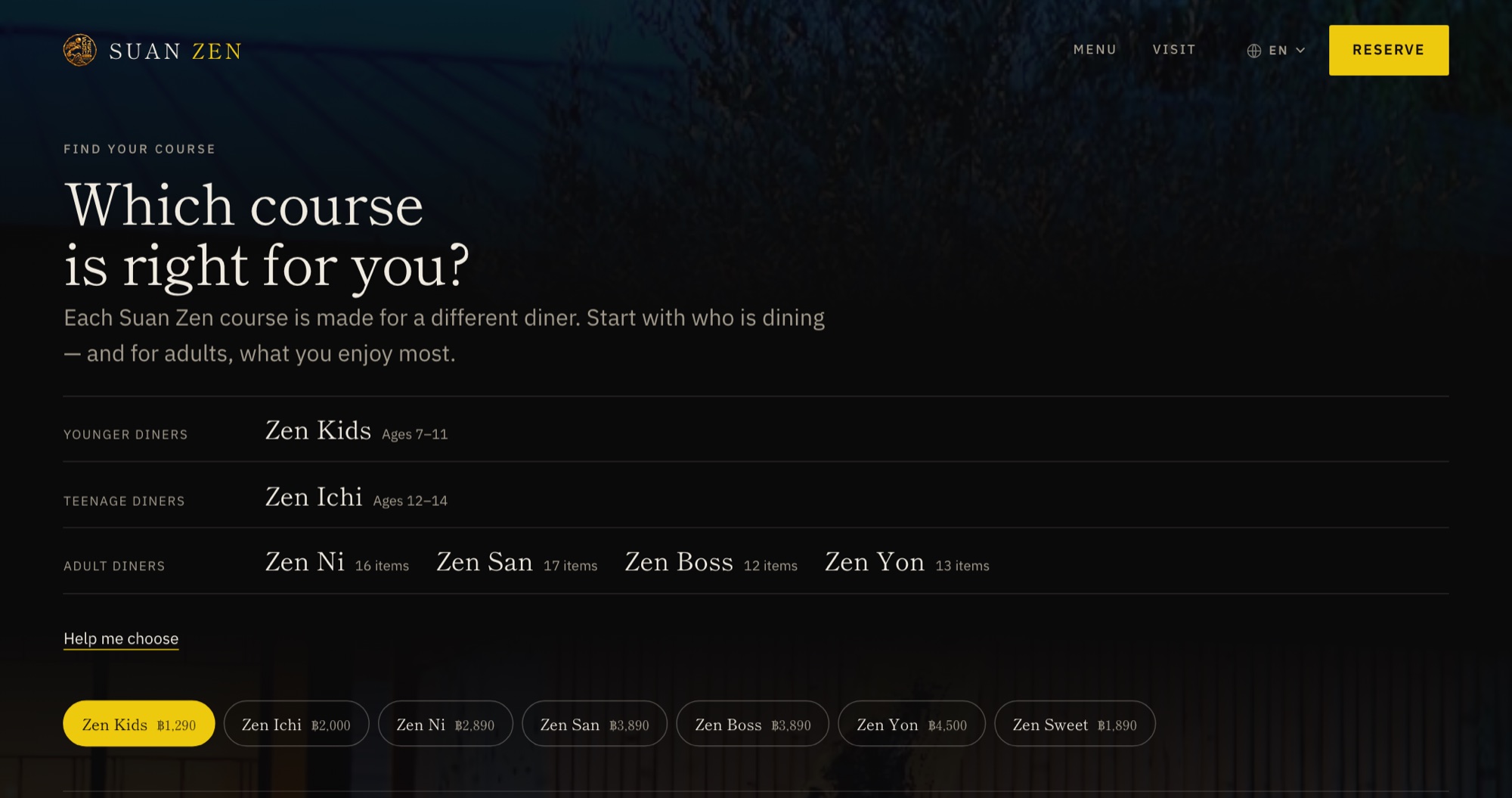
    Suan Zen's menu page opening on “Which course is right for you?”, with the courses listed for younger, teenage and adult diners
    The top of the menu: every course, by who it is made for.
  2. Compare

    The four adult courses are set side by side: how many items, what they are mostly made of, where there is a choice, and the price.
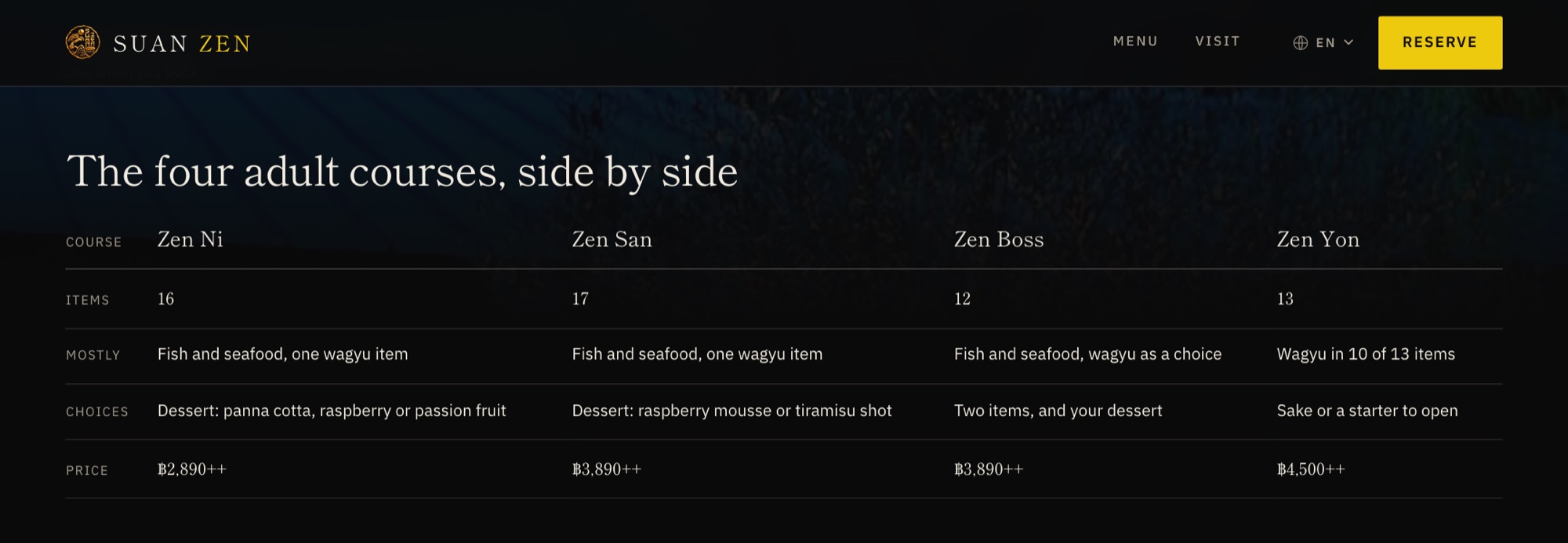
    A table comparing Zen Ni, Zen San, Zen Boss and Zen Yon by items, main ingredients, choices and price
    The four adult courses in one table.
  3. See what is served

    Every course has its own page and its own dishes, in the order they are served, in Thai, English and Simplified Chinese.
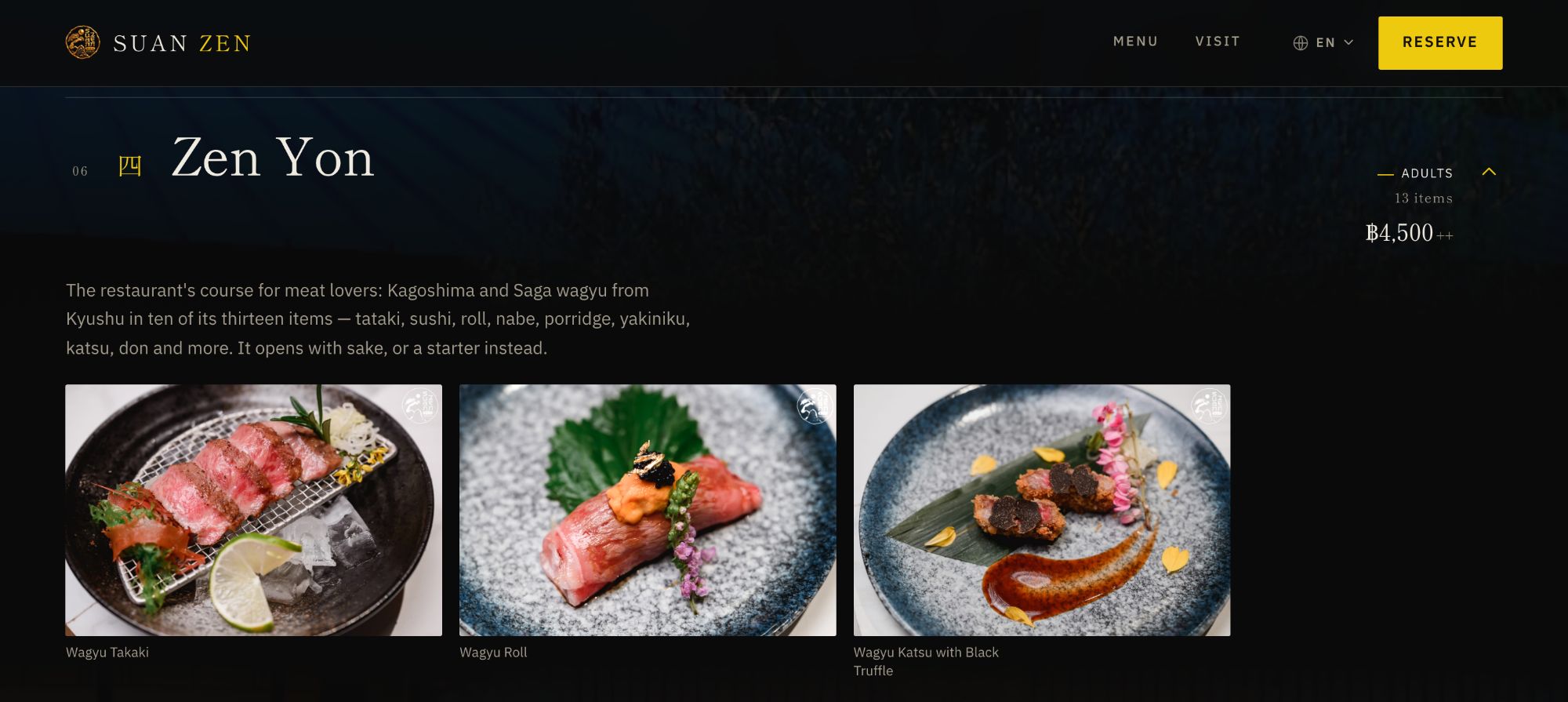
    The Zen Yon course page on a laptop, showing three wagyu dishes
    A course page: the dishes, in the order they are served.
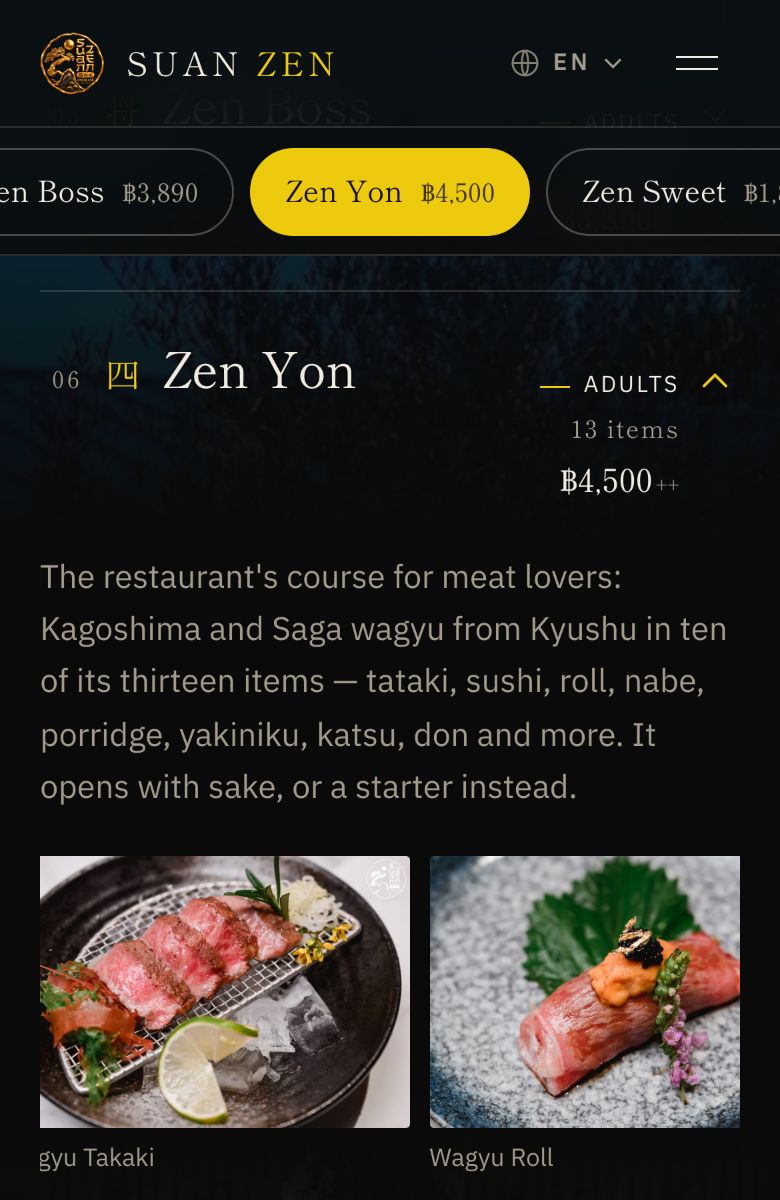
    The same course page on a phone
    The same course on a phone, where most guests open it.
  4. Reserve in LINE

    Reserve opens LINE with the chosen course already in the message, so the guest does not have to describe it again.
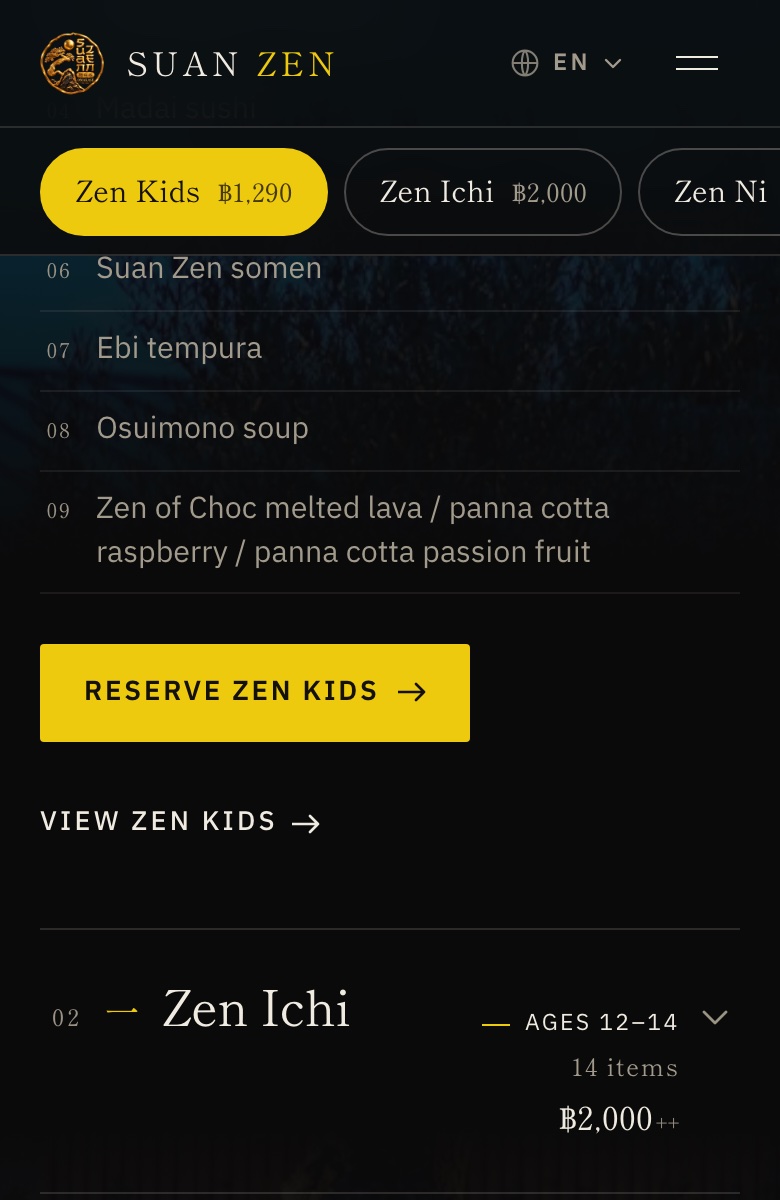
    A course on a phone with the button “Reserve Zen Kids” under its dishes
    Under each course, one button: reserve this course.

What was delivered

  • A course finder: a few taps from who is dining to the right course.
  • Thai, English and Simplified Chinese, each on its own pages.
  • Reserve opens LINE with the chosen course already in the message.
  • Set up for search engines, so new guests can find it on Google, not only through LINE.

We have not published measured results for this project. What is described here is what was delivered.

The product behind it

Websites for restaurants

Business website

A bilingual website that helps customers understand your business and get in touch.

View product

Start a similar project

Tell us what you need. We will define the scope together.